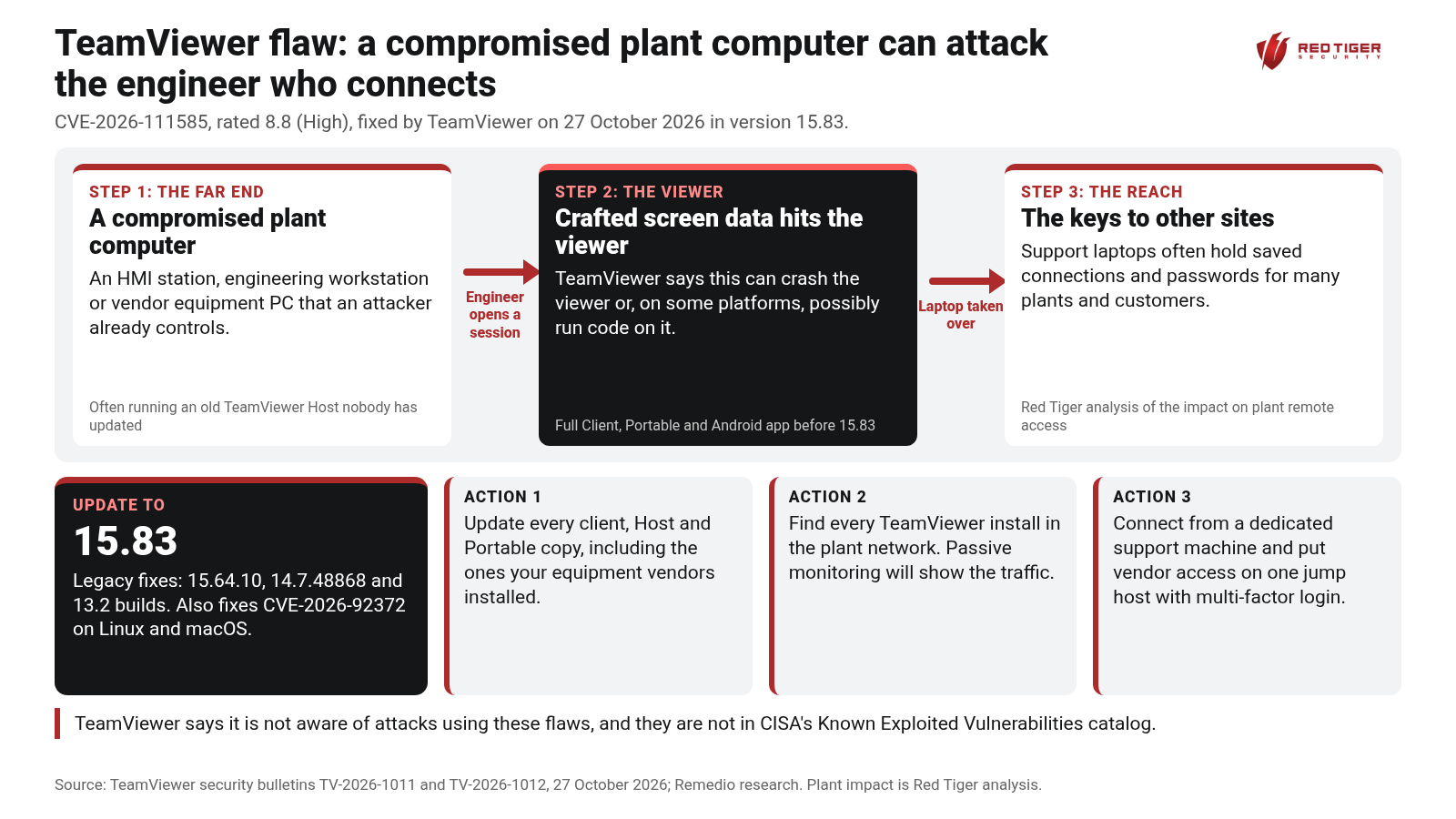
TeamViewer has patched a flaw that turns the usual remote-access risk around. Normally we worry about someone reaching into a plant computer. With CVE-2026-111585, a malicious or compromised computer on the far end of a TeamViewer session can attack the technician or engineer who connects to it.
On 27 October 2026, TeamViewer released security bulletin TV-2026-1011 for its client software, rated Important, with scores up to 8.8 out of 10 (High) on the Common Vulnerability Scoring System (CVSS).
CVE-2026-111585 is an integer overflow, a math error where a number grows too big for the space set aside for it, in the part of the TeamViewer client that draws the remote screen. TeamViewer says a malicious remote host can use it to crash the viewer or, depending on the platform, possibly run code with the viewer's privileges. It affects the Full Client and Portable versions before 15.83 on Windows, Linux and macOS, and the Remote Control app for Android before 15.83. CVSS 8.8, High. TeamViewer notes that exploitation requires a user to start a remote-control session to an attacker-controlled or compromised host.
CVE-2026-92372 is an out-of-bounds write, meaning the software writes data past the end of the memory set aside for it, in the screen-image decoder of the Full Client for Linux and macOS before 15.83. Crafted screen data during a session, or a crafted TeamViewer session recording file (.tvs), can lead to code execution. CVSS 8.8, High.
CVE-2026-92374 lets a low-privileged local user on a Mac gain root, the all-powerful account, through the TeamViewer installer helper. CVSS 7.8, High.
A second bulletin, TV-2026-1012, fixes six local privilege escalation flaws, meaning ways for a low-privileged user to gain full administrator control, in the TeamViewer Remote Management add-ons for Monitoring, Patch Management and Advanced Asset Management.
The fixed version is 15.83 for the Full Client, Host, Portable and the Android app. TeamViewer also shipped fixed legacy builds: 15.64.10 for Windows 7 and 8, 14.7.48868, and 13.2 builds for older installs. TeamViewer says it is not aware of any exploitation in the wild, and none of these flaws is in the Cybersecurity and Infrastructure Security Agency (CISA) Known Exploited Vulnerabilities (KEV) catalog as of this writing. The researchers at Remedio, who reported CVE-2026-111585, say the vulnerable code is reachable in the default configuration once a session is accepted.
At the plant floor and control room, TeamViewer Host is still common on human-machine interface (HMI) stations, engineering workstations and the computers that come bundled with packaged equipment such as skids, chillers and water treatment systems. Many of those computers run old operating systems and old TeamViewer builds that nobody has updated in years.
In the buffer network between the business side and the control system, jump hosts and support laptops often run the full TeamViewer client so engineers can reach machines inside the plant.
At the vendor and cloud end, machine builders and integrators use TeamViewer to support many customer sites from the same laptop.
This flaw matters most in that last picture. If one plant computer is already compromised, an attacker can wait for a support engineer to connect and use that session to take over the engineer's laptop, which often holds saved connections and credentials for other plants and other customers. One infected HMI can become a path to the people who support every site.
Red Tiger Security has completed 500+ plant-safe OT assessments and trained 4,500+ engineers and operators, and our team can help you find and lock down remote access into your plants.
We are here to help, so check out our resources online at www.redtigersecurity.com and book a follow-up call with our team if you have any questions: https://calendly.com/jonathanpollet/30min
Sources: TeamViewer security bulletin TV-2026-1011 https://www.teamviewer.com/en-us/resources/trust-center/security-bulletins/tv-2026-1011/ ; TeamViewer security bulletin TV-2026-1012 https://www.teamviewer.com/en-us/resources/trust-center/security-bulletins/tv-2026-1012/ ; Remedio research (supporting) https://remedio.io/research/vulnerability-disclosures/remote-code-execution-in-teamviewer/ ; SecurityWeek https://www.securityweek.com/teamviewer-flaw-could-let-malicious-hosts-take-over-support-technicians-machines/
Check out our resources and book a follow-up call with our team.